AI creative workflows / NEWS ANALYSIS
GPT-6 Astra and Higgsfield connect chat, video and Blender
Two Higgsfield demos show GPT-6 Astra coordinating AI video creation and Blender scenes. Learn the workflow, limits and business production lessons.
WATCH THE PRIMARY SOURCE
GPT-6 Astra + Higgsfield MCP Made This ENTIRE Video in One Chat
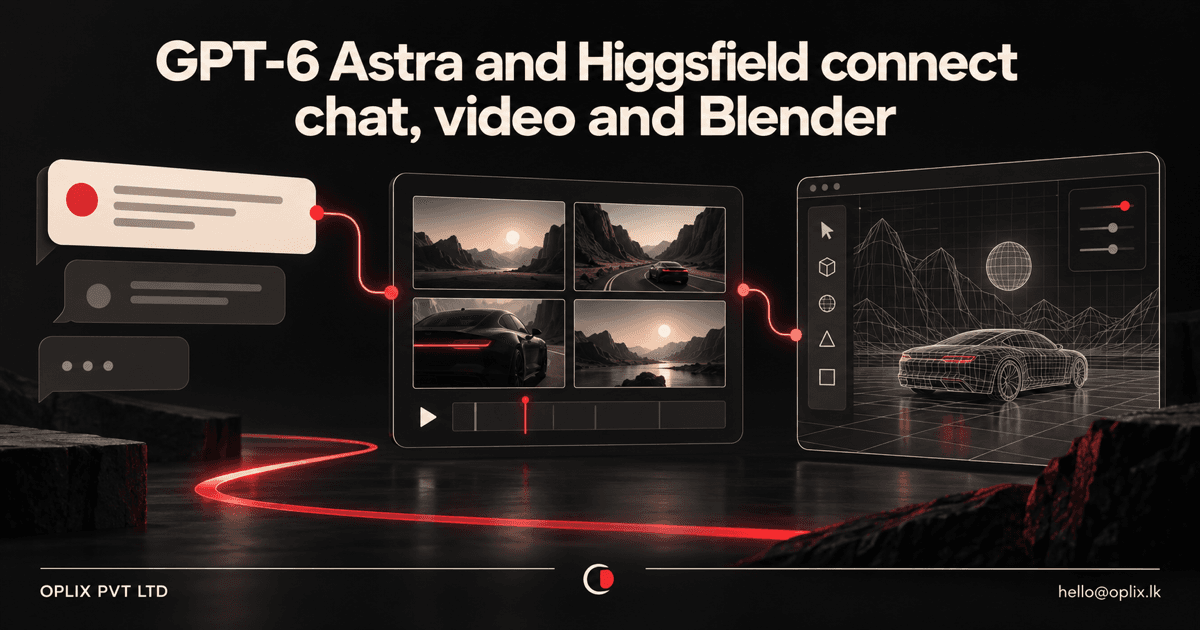
Two September videos from Higgsfield AI illustrate the same shift from different ends of the creative process: an AI model can coordinate a multistep production from a conversation, while connected generation tools and Blender can turn those instructions into media and editable scene assets.
The first video, published September 5, is titled “GPT-6 Astra + Higgsfield MCP Made This ENTIRE Video in One Chat.” The second, published September 12, is titled “GPT Astra 6 + Blender + Higgsfield Builds The Craziest Cinematic Scenes!” Together, they point toward a connected workflow rather than a single magic model: GPT-6 Astra handles reasoning and orchestration, Higgsfield provides creative-generation capabilities, and Blender provides a production environment where teams can inspect and continue working with assets.
Neither video exposes a public transcript, so this article does not attribute unverified narration or step-by-step claims to the presenters. The analysis is grounded in the videos’ verified metadata and Higgsfield’s and OpenAI’s official documentation.
What do the two Higgsfield videos demonstrate?
The first video is an 11-minute demonstration centered on creating a complete video through one chat using GPT-6 Astra and a Higgsfield connection. The title emphasizes a single conversational workspace instead of moving manually between separate prompting, asset-generation and assembly interfaces.
The second is a 15-minute demonstration focused on GPT-6 Astra, the Higgsfield Blender integration and cinematic scene creation. Its significance is not simply that AI can produce an image or clip. The workflow places generative capabilities alongside a professional 3D tool where a scene, camera, model, material or animation can remain available for further work.
The two demonstrations therefore cover complementary layers:
- Conversational orchestration: turn a goal into a sequence of creative tasks and revisions.
- Media generation: create images, video, audio or reusable visual elements through connected models.
- Production integration: place supported results into a working environment such as Blender instead of ending with an isolated download.
- Human refinement: review the outputs, adjust the brief, correct continuity and continue editing in the appropriate tool.
What role does GPT-6 Astra play?
OpenAI’s official model documentation positions GPT-6 Astra for complex reasoning, coding, computer use, research and end-to-end work. It supports tools including MCP, computer use, hosted shell, image generation and skills.
In a connected creative workflow, that makes Astra the coordinating layer. It can interpret the brief, break the request into stages, call available tools, consider returned results and handle follow-up instructions. Higgsfield describes a similar division in its own Astra workflows: the model handles logic and multistep orchestration while Higgsfield supplies the creative generation layer.
That division matters because Astra is not itself the Blender viewport or every image and video model inside Higgsfield. The final system depends on the permissions, tool descriptions, available models, account access and results returned by each connected service.
How does the Higgsfield connection work?
Higgsfield documents several connection paths. ChatGPT uses the official Higgsfield Plugin from its Plugins Directory. Claude can use a custom MCP connector, Cursor can use its marketplace integration, and supported coding agents can use the Higgsfield CLI. Higgsfield says an active paid subscription is required and that generation uses the account’s normal credits.
Through supported connections, an agent can access Higgsfield image and video generation, reusable Elements and Soul characters, and selected ready-made skills. Product availability differs by client: Higgsfield’s documentation says audio generation and the Website Building skill are not available through ChatGPT, for example.
This is why a production guide should name the exact client, plugin or connector rather than using “MCP” as a generic label for every setup. The capability shown in a demonstration may depend on a particular account, product version or integration route.
What does the Higgsfield Blender plugin add?
Higgsfield’s Blender plugin places a floating generation bar over the 3D viewport. Its documented tabs cover Scene Builder, 3D Model, Character Animation, Image, Video, Camera and Asset.
The plugin can place supported outputs into the open Blender file. Higgsfield says a generated mesh can land at the 3D cursor with topology and materials, an image can be inserted as a plane or connected to a material, and recent results remain available inside the workflow.
The Blender Bridge is a separate connection that lets a supported agent interact with the add-on and open scene. Higgsfield’s published setup uses https://bridge.higgsfield.ai/mcp as the bridge address. The company currently lists Blender 5.1 or later on Windows and macOS as supported.
Generation still runs on Higgsfield’s servers, so the local GPU is not responsible for the generative model workload. A workstation must still be capable of running the Blender scene, previewing it and completing any local rendering or simulation the project requires.
Does “one chat” mean one-click production?
No. A conversational interface can hide tool switching, but it does not remove the production decisions behind good work.
A useful creative brief still needs the audience, message, format, visual direction, duration, aspect ratio, brand constraints and approval standard. Each generation consumes time and potentially credits. Character continuity, product accuracy, camera logic, readable text, audio timing and legal rights still need review.
The output may also cross several technical boundaries. An image generated for a storyboard is not automatically an editable 3D model. A generated video is not equivalent to a Blender scene with controllable geometry, lighting and camera movement. Teams should decide which outputs need to remain editable and choose the right generation path for each stage.
The strongest interpretation of “one chat” is therefore one coordinated control surface—not one infallible prompt or one finished result without revision.
Where could businesses use this workflow?
The same pattern can support several practical production needs:
- Campaign concepting: move from a product brief to visual directions, storyboards and draft shots.
- Social video production: coordinate scripts, assets and short-form variations for different placements.
- Product visualization: generate early environments or references, then refine selected work in a 3D tool.
- Previsualization: explore camera positions, scene layouts and pacing before committing to a full production.
- Training and explainers: organize a structured sequence of scenes around approved information and brand standards.
- Interactive prototypes: combine generated assets with code and 3D environments for demonstrations or early product testing.
These are workflow opportunities, not guarantees that every generated asset will be production-ready. The business case depends on revision time, credit use, staff skills, output rights, model availability and the quality threshold for the intended channel.
What controls should a production team establish?
A business should define controls before connecting an agent to paid generation or an open creative project:
- Approval before spend: ask the agent to show the expected credit cost and wait before generating.
- Bounded tool access: connect only the services and project files needed for the task.
- Versioned briefs: preserve the approved audience, copy, visual references and required deliverables.
- Asset provenance: record the prompt, model, source materials, generation date and usage terms.
- Review gates: require people to approve the concept, individual assets and final edit separately.
- Continuity checks: review people, products, environments, typography, audio and brand elements across shots.
- Fallback paths: keep a manual production method when a model, connector or cloud service is unavailable.
Teams should also inspect current terms before commercial use, especially when prompts or reference materials include client assets, trademarks, people or licensed content.
What should an AI creative-workflow pilot measure?
Start with one repeatable deliverable rather than trying to automate an entire creative department. A pilot might cover a 15-second concept video, a simple product previsualization or one reusable 3D scene.
Measure the time from approved brief to reviewable output, the number and cost of generations, revision rounds, manual corrections, continuity errors and final approval rate. Compare that with the current workflow using the same creative standard.
The goal is not maximum generation volume. It is a controlled pipeline that helps the team reach an approved result with less friction while preserving editorial judgment and technical editability.
Oplix perspective
These Higgsfield demonstrations show how agentic AI becomes more useful when it coordinates specialist tools instead of pretending one model does everything. The business value comes from the complete system: a clear brief, capable orchestration, purpose-built generation tools, an editable production environment, approval points and measurable outcomes.
Oplix helps businesses design AI workflows, connect approved tools and build custom software around the process. For creative production, that can include intake forms, asset libraries, generation queues, approval dashboards, audit records and handoffs into the tools a team already uses.
The right starting point is one deliverable with a known audience and quality standard. Once the team can measure where AI saves time—and where human craft remains essential—the workflow can expand safely.
Primary sources
TURN THE UPDATE INTO A USEFUL SYSTEM
How Oplix can help
Explore the services directly related to this development.
AI Development
Custom AI agents, assistants and product features connected to your data, tools and business workflows.
Explore AI Development →AI Automation
Connect business tools, process information, qualify leads, trigger actions, and draft communications—with people in control when judgment matters.
Explore AI Automation →Software Development
Custom dashboards, portals, mobile apps, internal tools, APIs, and SaaS products shaped around how your business actually operates.
Explore Software Development →